Your turnkey eSIM business
Your brand. Your business.
The whole stack behind you.
Build the shop. Sell the eSIM. Support the traveler. From your first storefront to an AI-powered support team, RoamGo connects the tools that run your eSIM business.
Explore the stack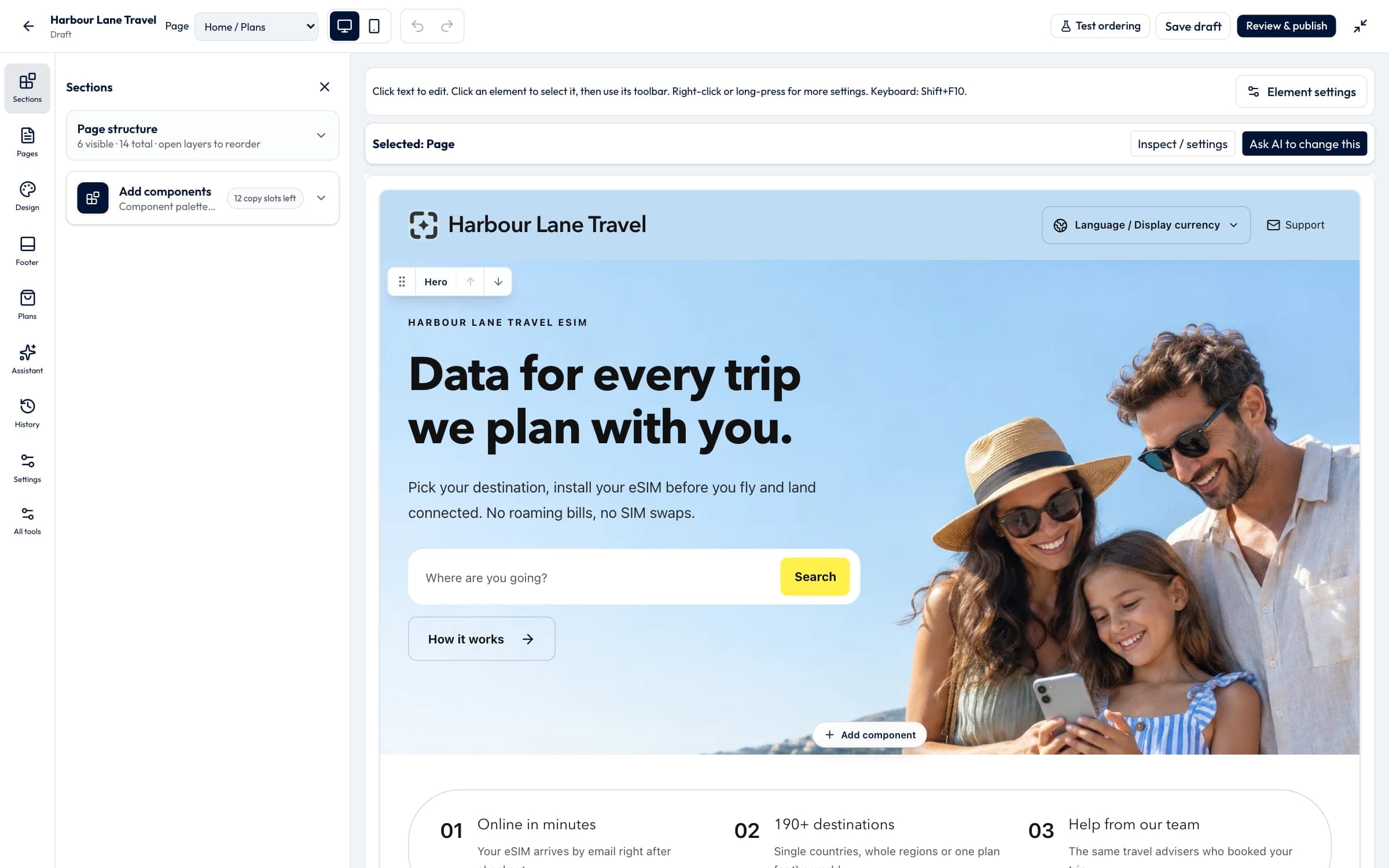
Real builder and dashboard screenshots. Conversations and calls are illustrative examples.
One connected platform
Everything your eSIM business needs to run.
Your website is the beginning. The same platform takes care of selling, delivery, customer conversations, phone calls, and the work behind the scenes.
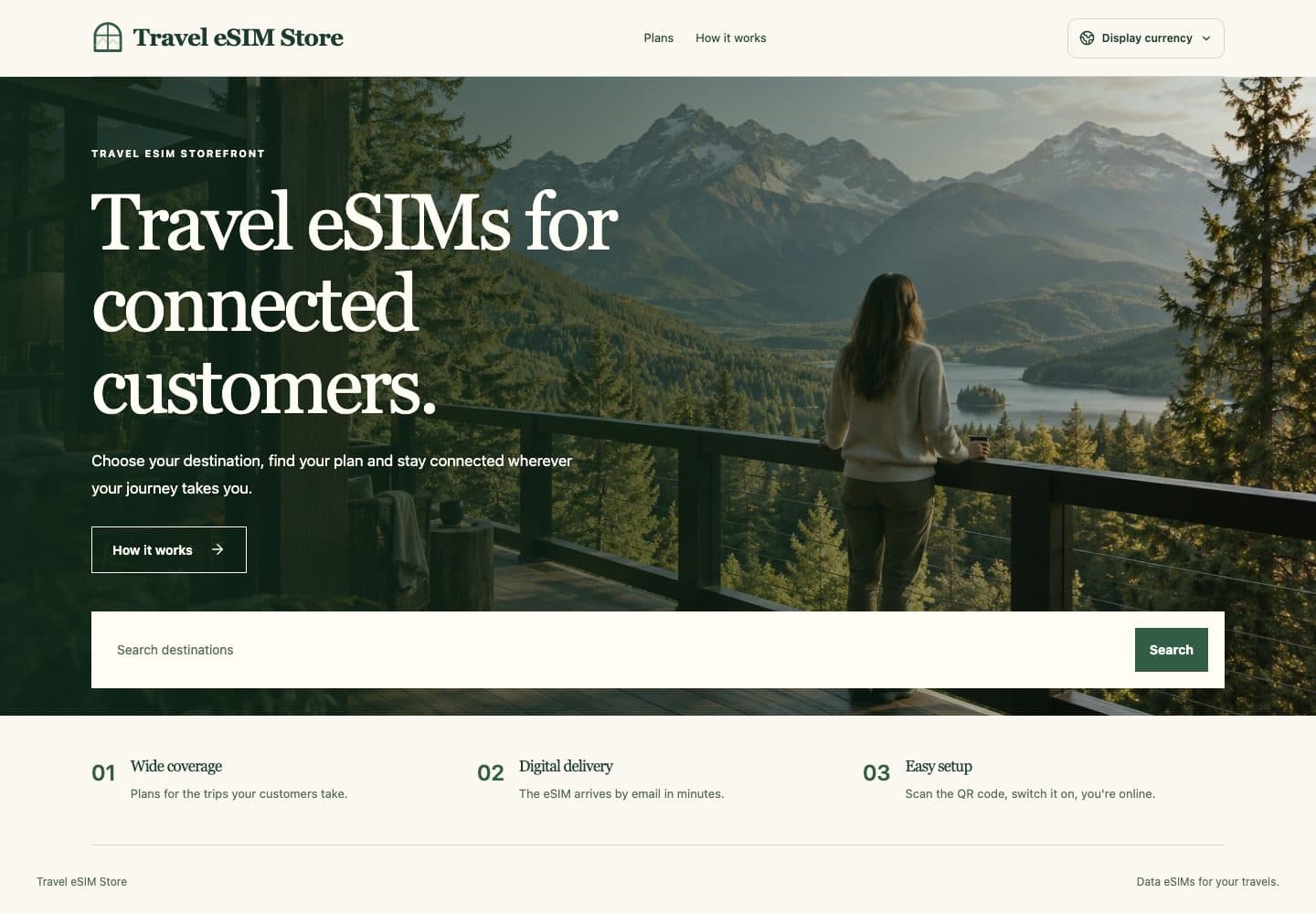
Make it unmistakably yours.
Start with a professional theme, ask the AI designer for the look you want, and edit right on the page. Your name, your domain, your plans, your prices.
- 60+ professional themes
- AI design and inline editing
- Your domain · 18 shop languages
Real builder and dashboard screenshots. Conversations and calls are illustrative examples.
01 / Website builder
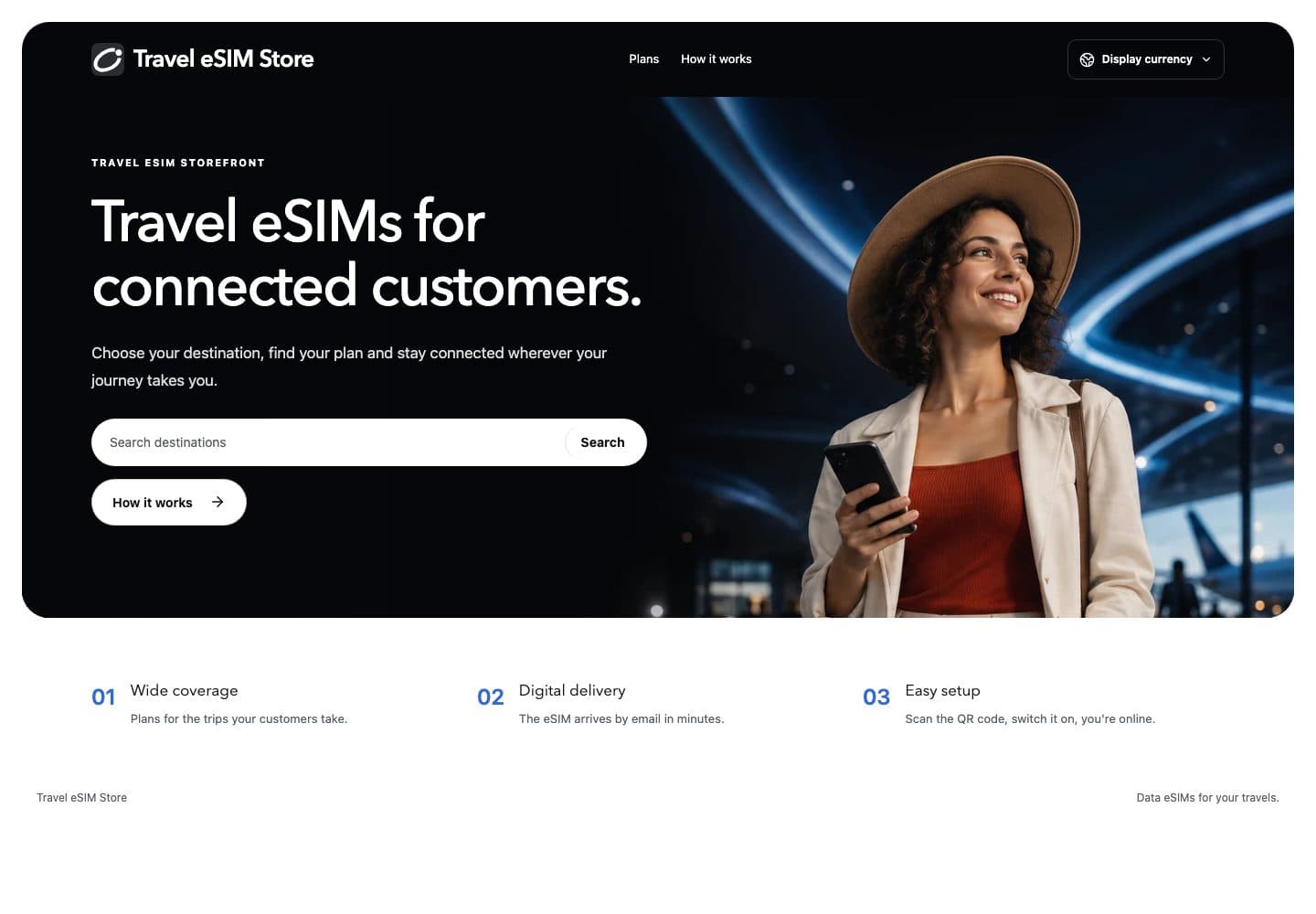
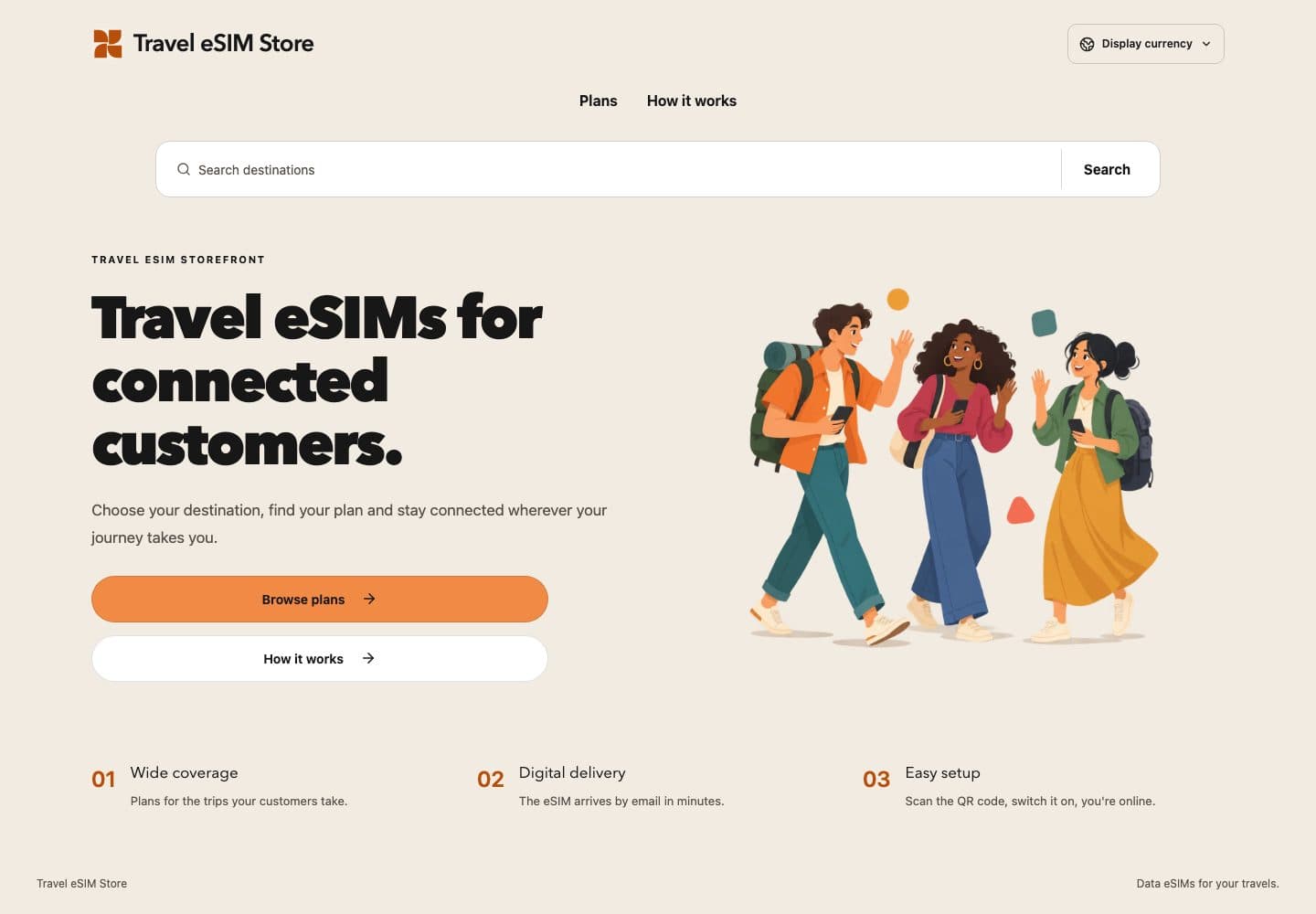
Start from a shop that already looks finished.
Start with a professional theme, ask the AI designer for the look you want, and edit right on the page. Your name, your domain, your plans, your prices.
Try them in the builder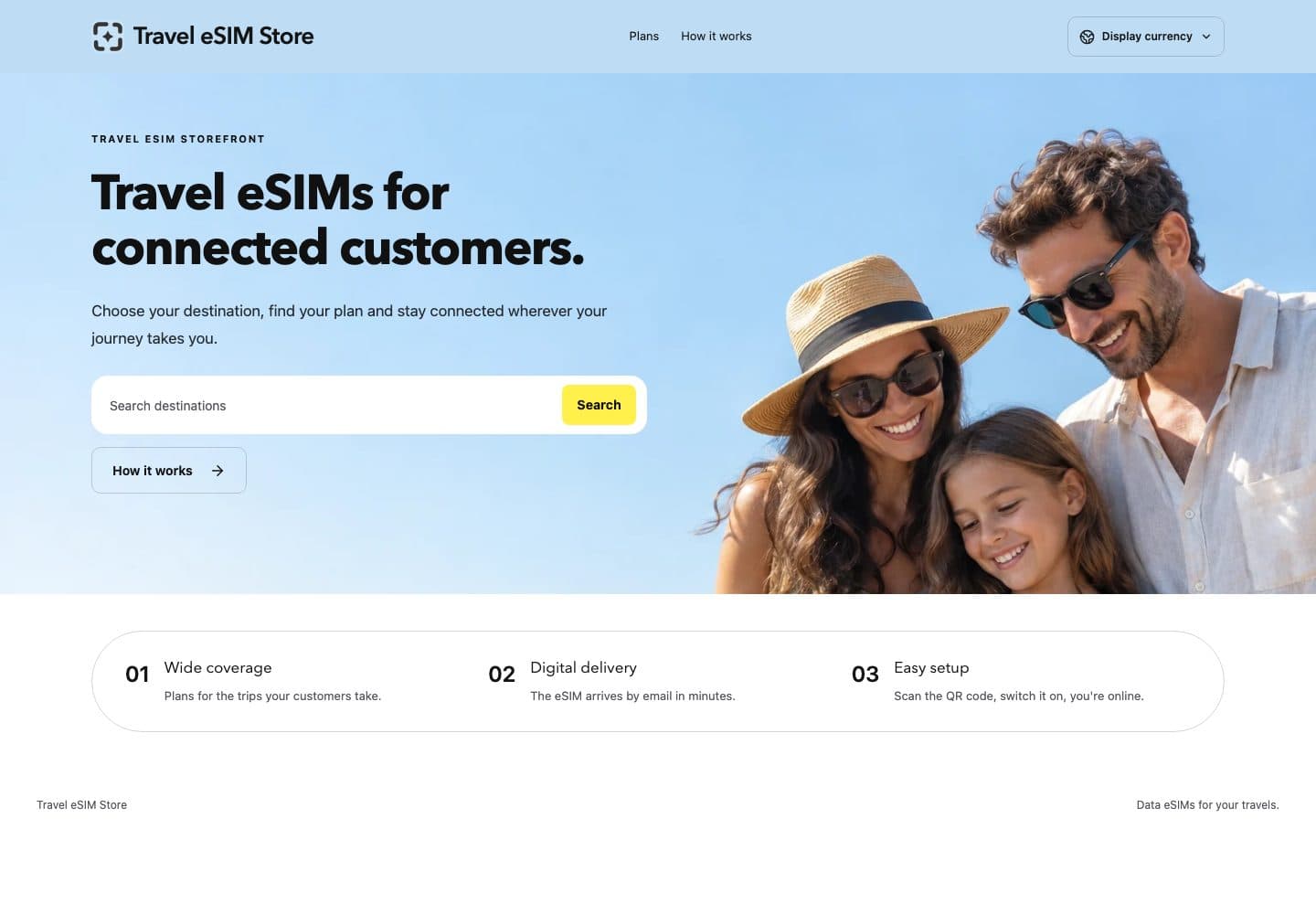
02 / Checkout & delivery
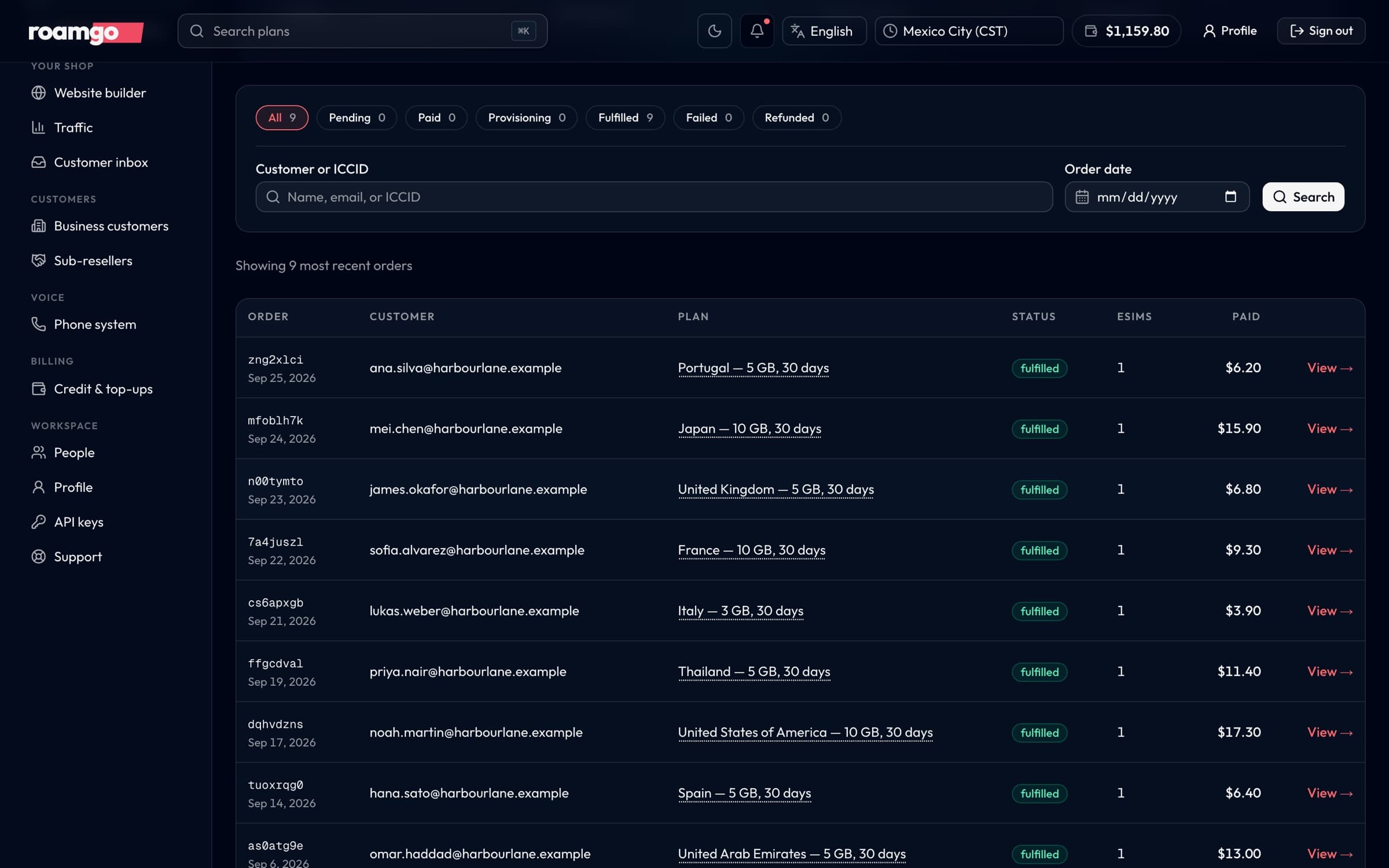
From a paid order to a connected traveler.
Let customers pay through your connected payment account, then deliver their eSIM automatically. Keep orders, installation details, top-ups, and eligible refunds together.
- Partner-branded checkout
- Automated eSIM fulfillment
- Order and activation tracking
Real builder and dashboard screenshots. Conversations and calls are illustrative examples.
Customer care, connected
The sale is just the start of the conversation.
A traveler can ask a question in your widget, get help from AI Operator, and reach your team when needed. Your people have a customer inbox to follow through, with the context to help.
I’ve arrived in Japan. How do I install my eSIM?
Hi Jamie! Your Japan eSIM is ready. Open your order and follow the installation guide. I can help you through it.
Real builder and dashboard screenshots. Conversations and calls are illustrative examples.
Tickets & widget
Give customers a support widget on your shop and your team a shared customer inbox. Keep conversations, tickets, and order context together when a traveler needs help.
- Customer-facing chat widget
- Tickets and human replies
- Customer and order context
AI Operator
Answer product and installation questions in your customer’s language. AI Operator uses your knowledge and authorized customer context, with a handoff when a person should take over.
- Your knowledge and brand voice
- Multilingual customer help
- AI drafts and human handoff
One inbox for every channel
WhatsApp, website chat, Telegram, Messenger, Instagram, LINE and XMPP in one shared inbox. Your team, your rules, and AI that knows when to hand over.
Your business, on the line
An open door. Even when you’re away.
Bring a business phone number, call routing, and AI Receptionist into your operation. Let callers ask a question, reach the right person, or leave a message for your team.
- AI answers for incoming calls
- Team transfers and messages
- Business phone and visual IVR
“Thanks for calling Harbour Lane.
How can I help you today?”
Real builder and dashboard screenshots. Conversations and calls are illustrative examples.
Room to grow
Start without code. Grow without starting over.
The partner dashboard and API connect your storefront to the operational layer. Build your own integrations as your business grows, or talk to us about a separately scoped iOS and Android app.
See it in action · 56 seconds · English
From your brand to their first connection.
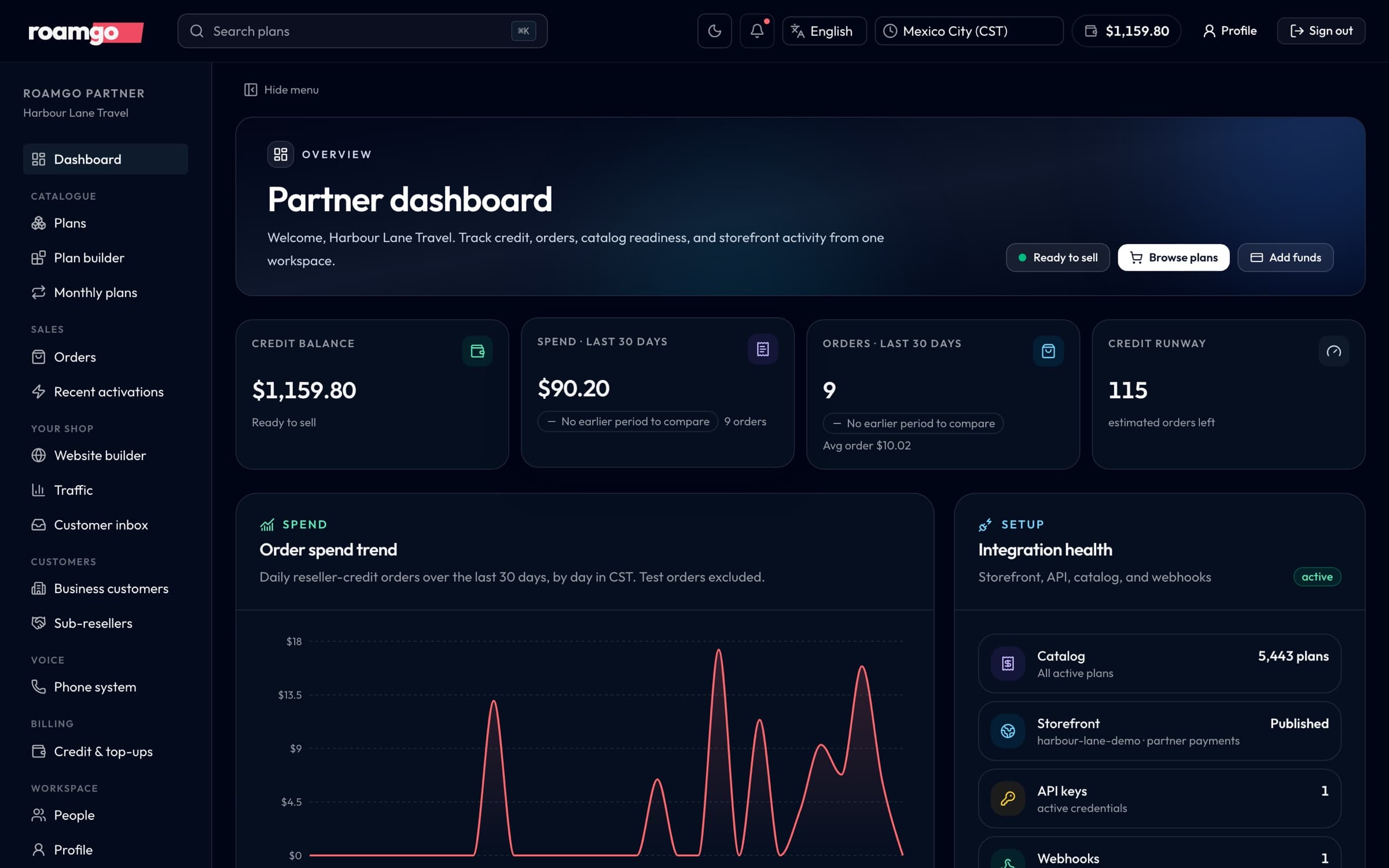
Watch fictional Avela build its identity, select plans and publish a storefront, then follow a customer from purchase to installation on their phone.
- 01Set a logo, brand colors and featured plans in the builder.
- 02Preview the storefront and publish the customer experience.
- 03The customer chooses a plan, checks out and installs an eSIM.
Avela is fictional. This product demonstration uses illustrative interfaces and plans. Instrumental music only; the story is conveyed on screen. English descriptive subtitles are available in the player.
Video description
Watch fictional Avela build its identity, select plans and publish a storefront, then follow a customer from purchase to installation on their phone. Set a logo, brand colors and featured plans in the builder. Preview the storefront and publish the customer experience. The customer chooses a plan, checks out and installs an eSIM. The film closes with the RoamGo logo. Avela is fictional. This product demonstration uses illustrative interfaces and plans.
Account activation
Build your storefront free. Activate only when you go live.
Create a business or reseller account, see partner prices, and save drafts without a deposit. The first credit is used only when you are ready to publish, take live orders, or use the live API.
create the account, see prices, and save drafts
first reusable deposit activates publishing, live orders, and live API access
minimum for later deposits after activation
Your deposit is usable eSIM credit, not a setup fee. AI Operator plans, RoamDesk seats and channels, business numbers and calling have separate pricing. Custom apps are scoped and quoted separately.
Bring your brand. Build your eSIM business.
Explore the builder today. Create a free partner account to save your shop, then choose the commerce, support, and phone services that fit your launch.